
Restorations
BetaFill your Class I and II amalgam and Class II composite preps; Pencil force is your condensing and carving force.
- Carrier
- Condenser
- Carver
- Burnisher
- Matrix and wedge
- Curing light
Cut preps, get graded, learn every tooth. On iPad and iPhone.

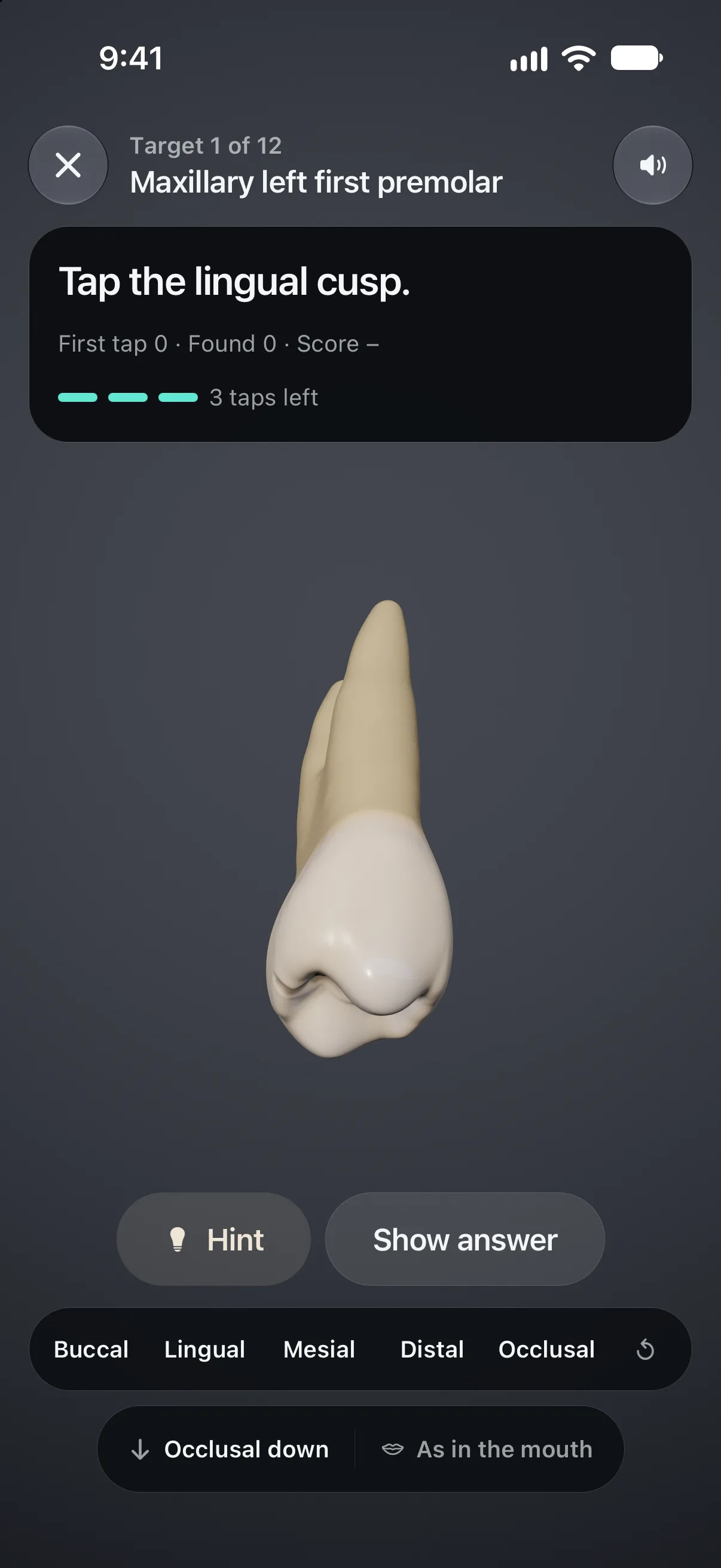
Find the mesiobuccal cusp.
Drag sideways to turn the tooth. Two tries.

#30 Mandibular right first molar
FDI 46Palmer 6Haderup 6−
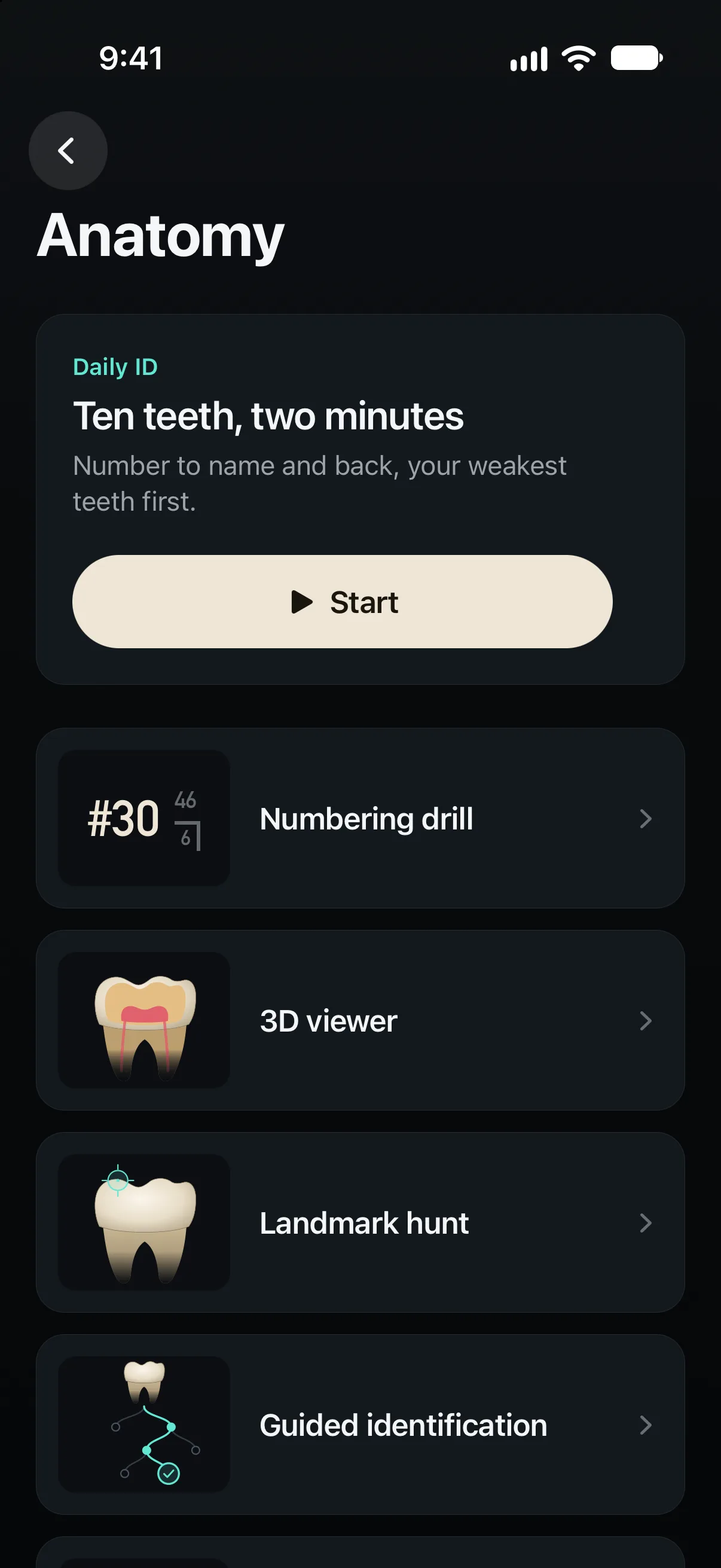
A new Daily ID every day: ten teeth, two minutes.
Made for preclinical dental students, foreign-trained dentists preparing for the CDCA-WREB-CITA and ORE manikin exams, and the faculty who teach them.
A tooth anatomy app with all 32 permanent and 20 primary teeth in 3D. Drag the slider to cut this molar open.
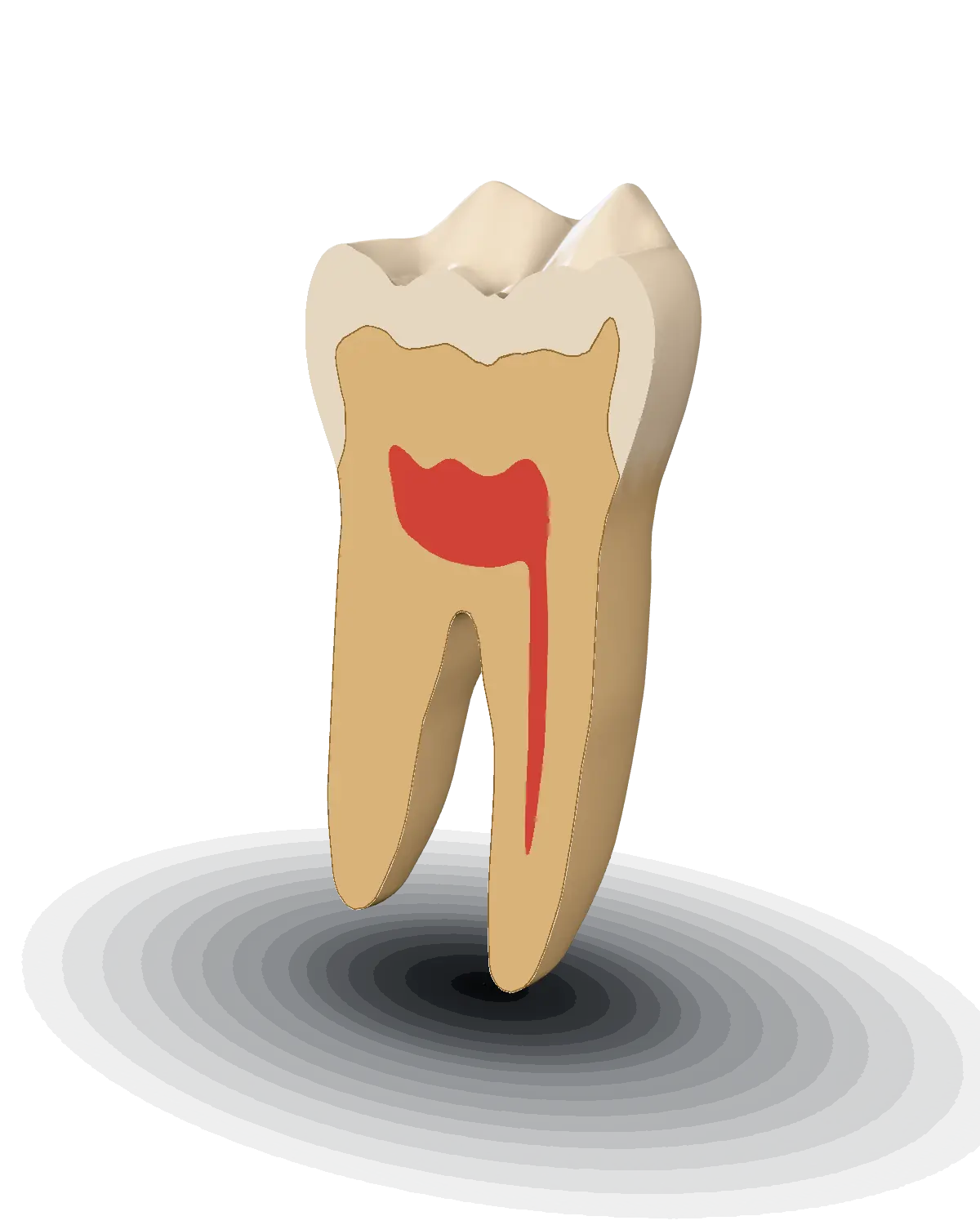
4.2 mm from the buccal surface
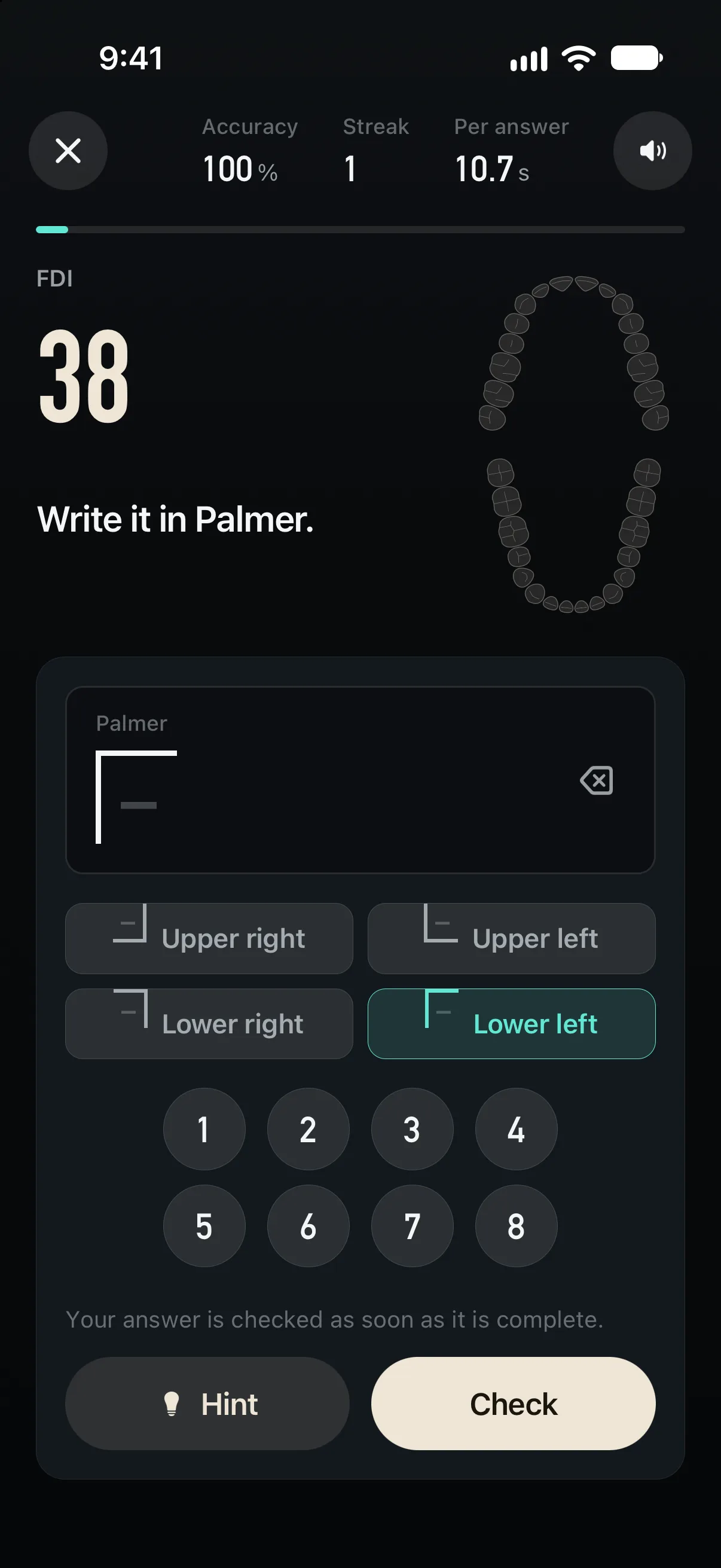
The numbering drill runs all four, to and from tooth names.
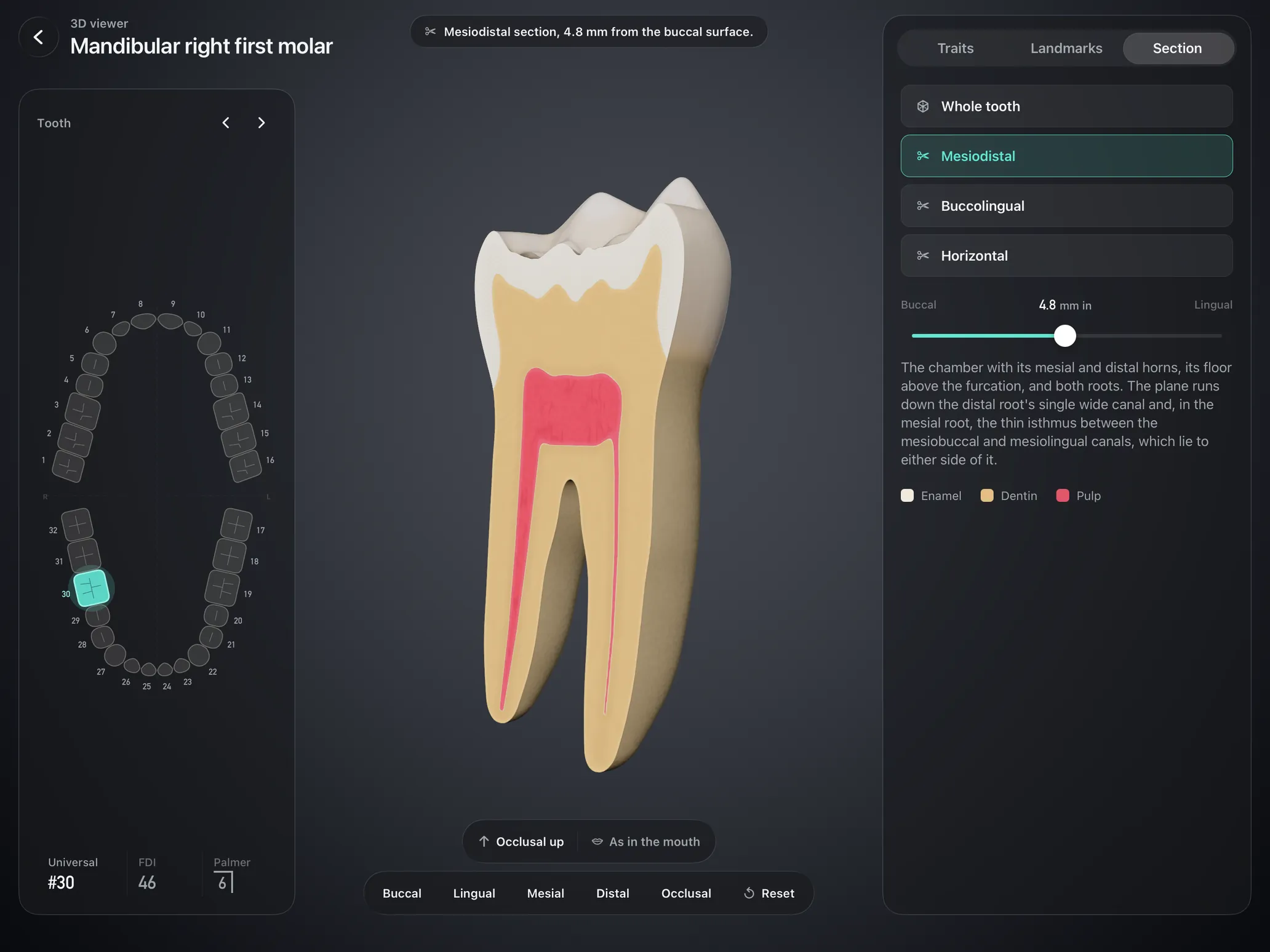
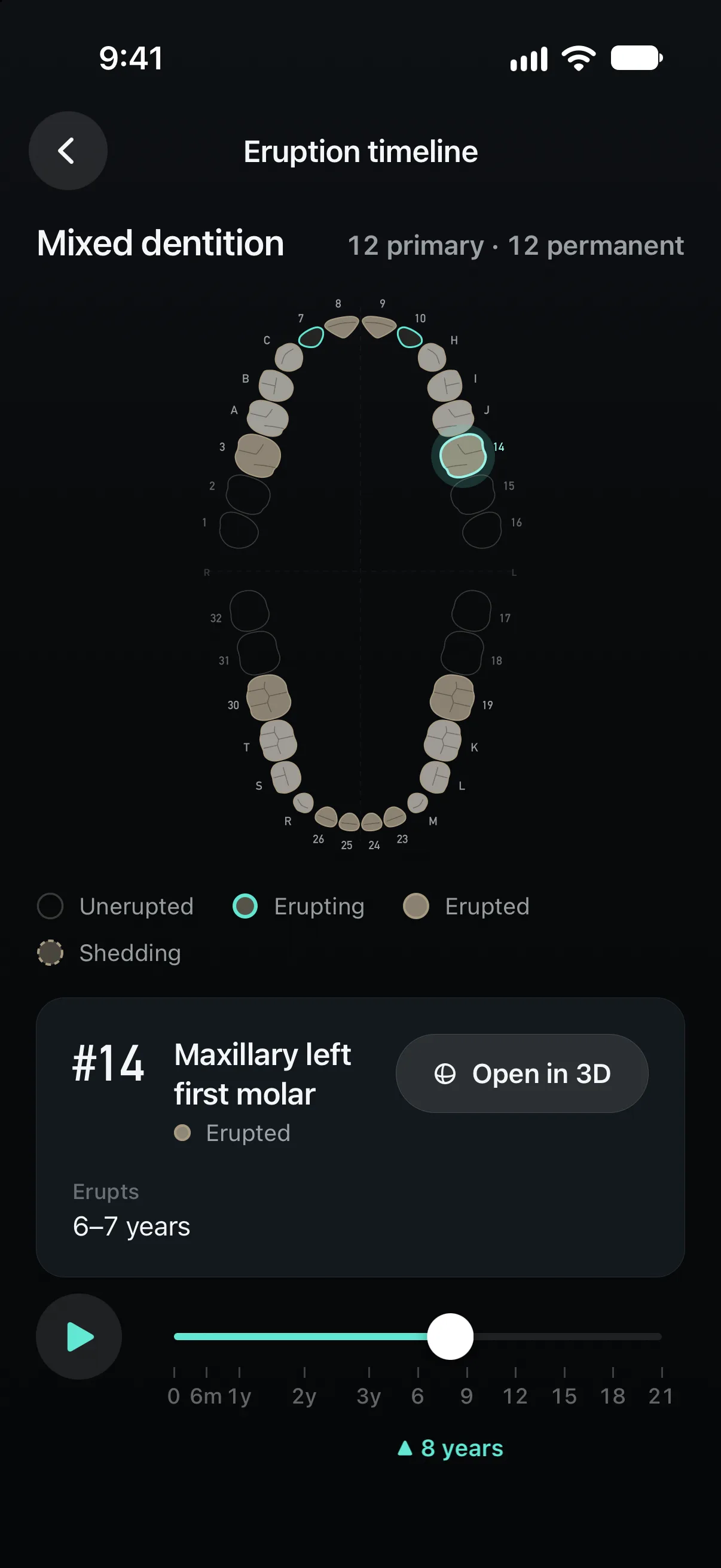
Station practicals, guided ID, landmark hunts and the numbering drill each work on permanent, primary or mixed teeth.
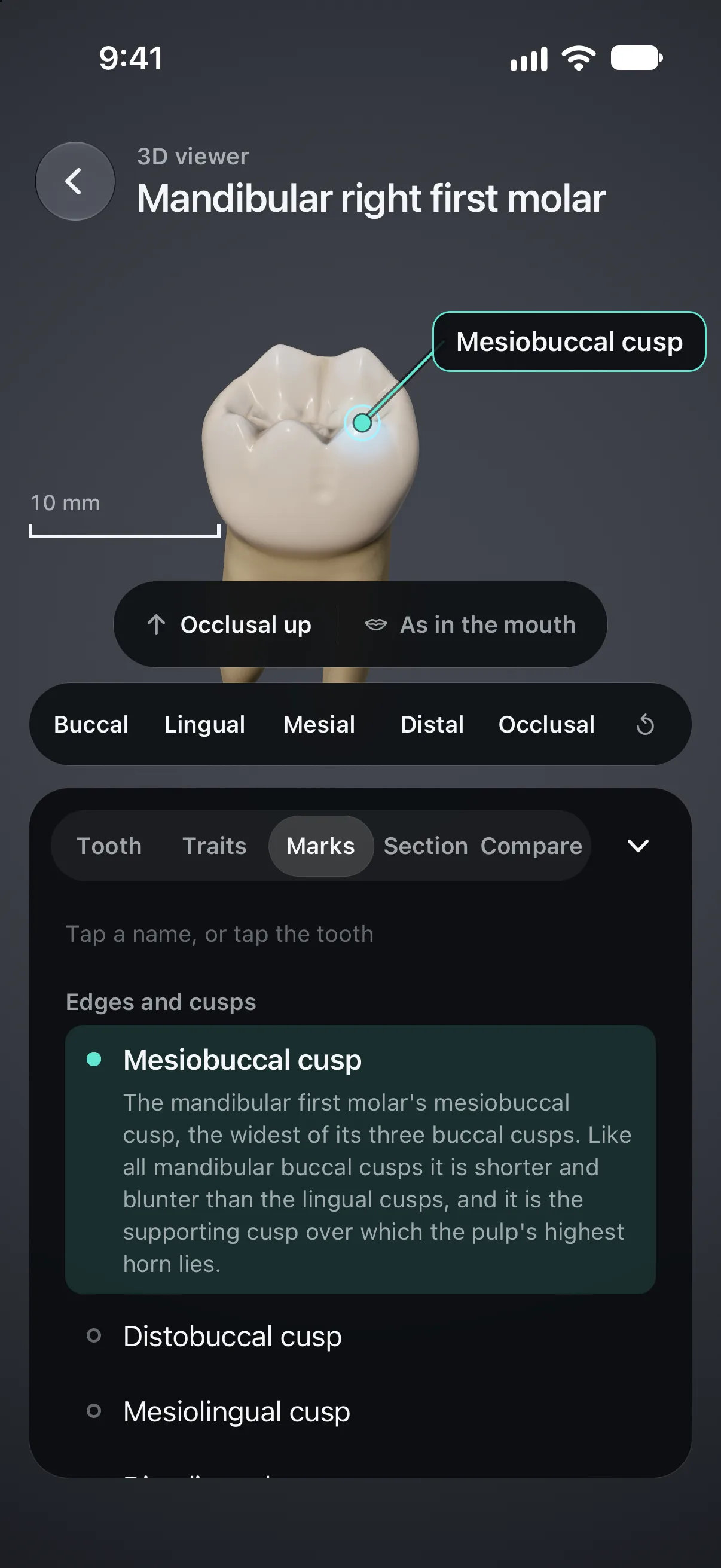
Number to name and back, your weakest teeth first. A new round every day.
Prep Lab Beta
Cavity preparation practice on 3D teeth, from Class I amalgam to all-ceramic crowns. Enamel, dentin, pulp and caries each cut differently, and the handpiece whine drops under load.
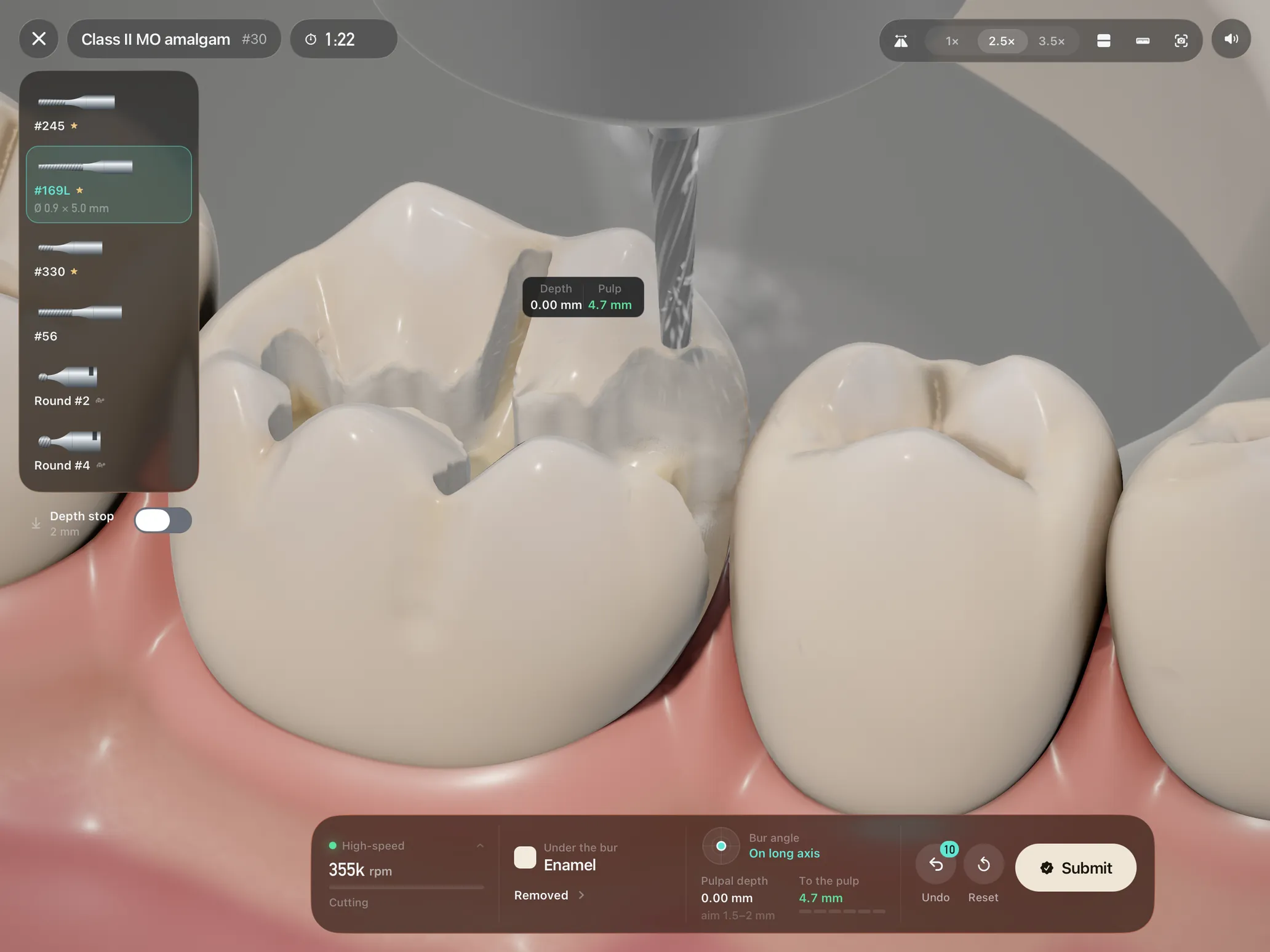
Tip
The bur's contact point
Tilt
The bur axis
Pressure
The feed
Hover
A ghost bur with a depth preview
Squeeze
The foot pedal, on Apple Pencil Pro
No Pencil? Touch cuts too, with on-screen tilt and pressure controls.
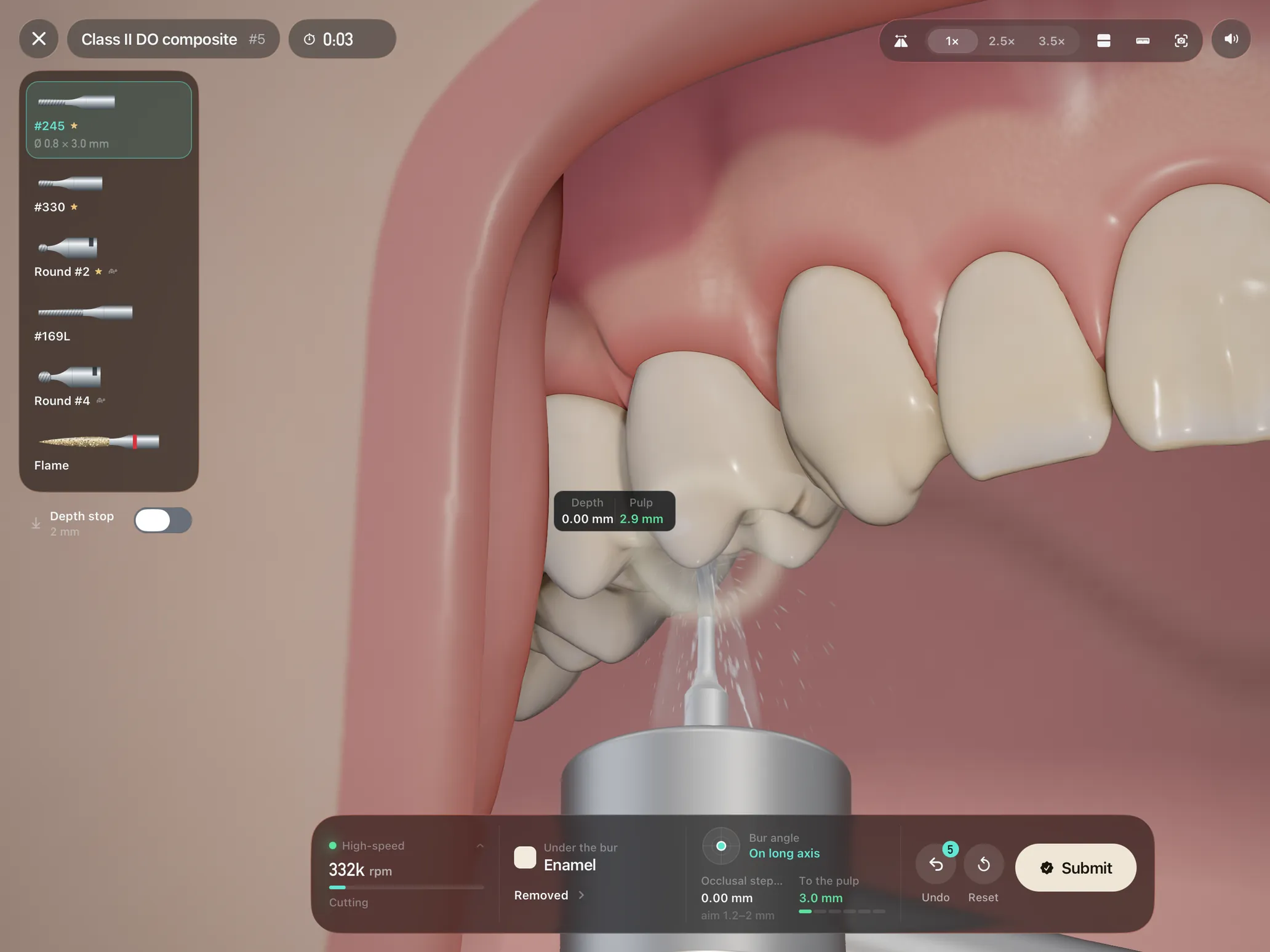
1Bench
2Typodont
3Phantom head
Mouth mirror, 2.5× and 3.5× loupes, cross-sections and a periodontal probe in every scene.
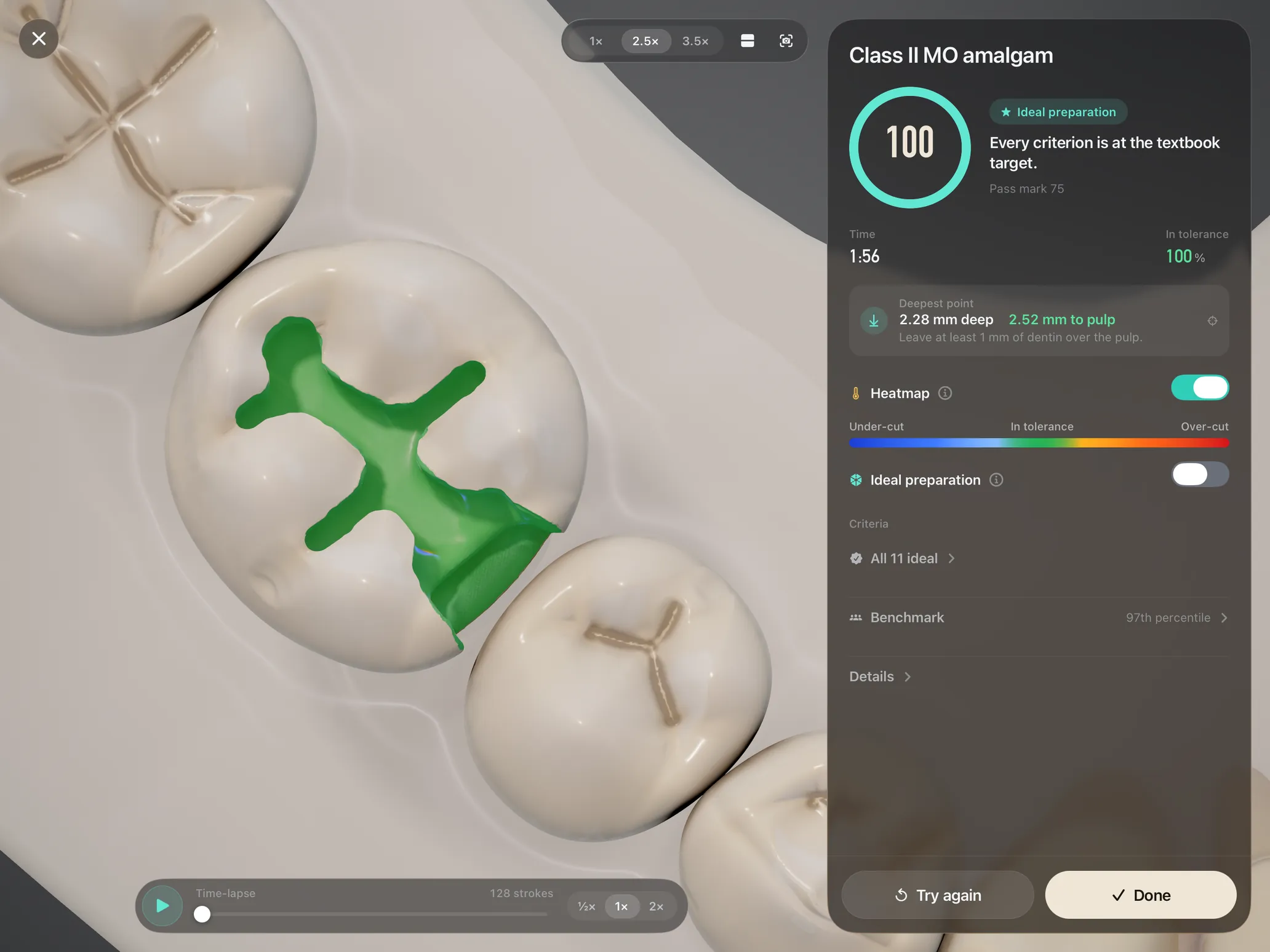
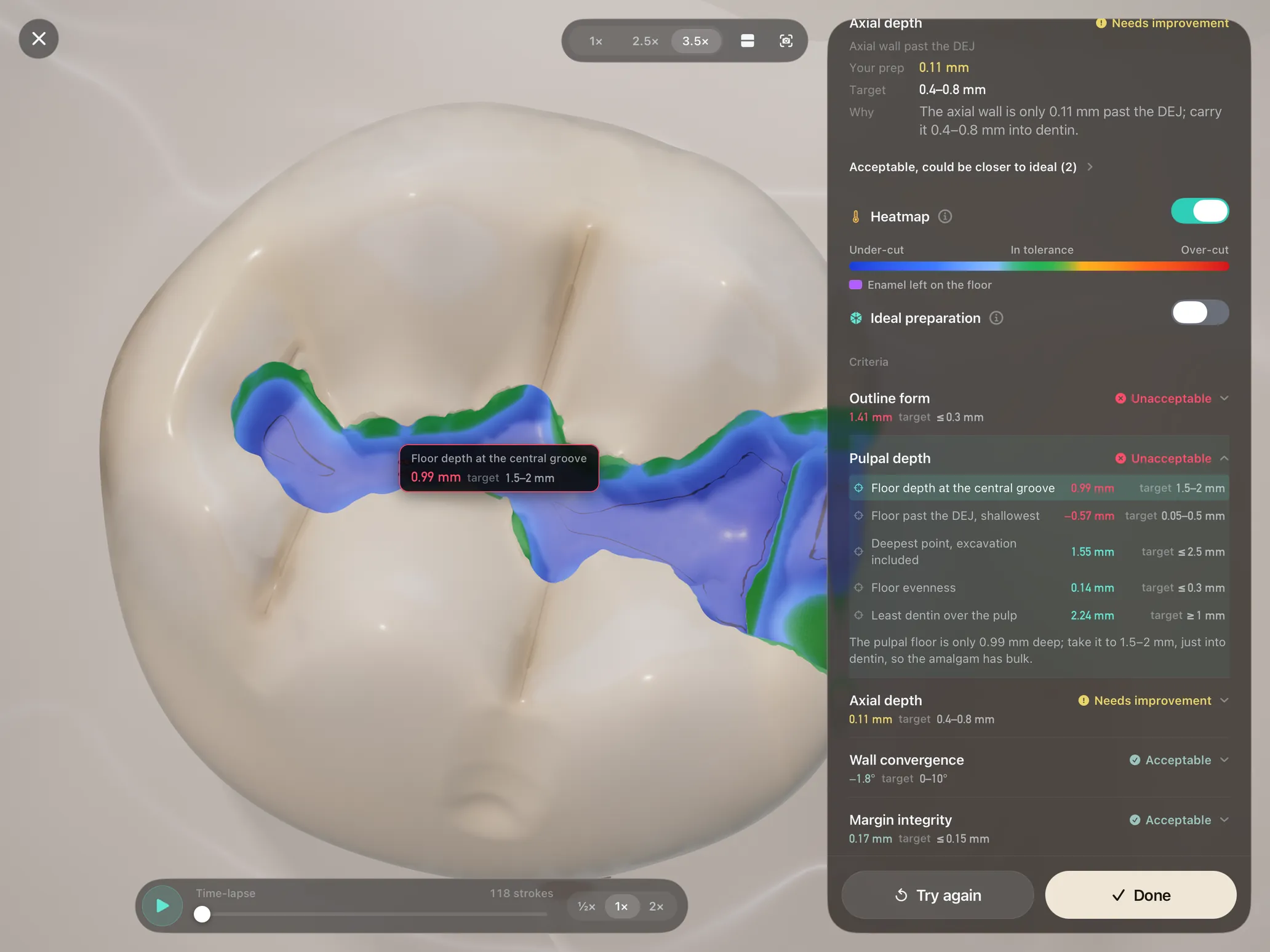
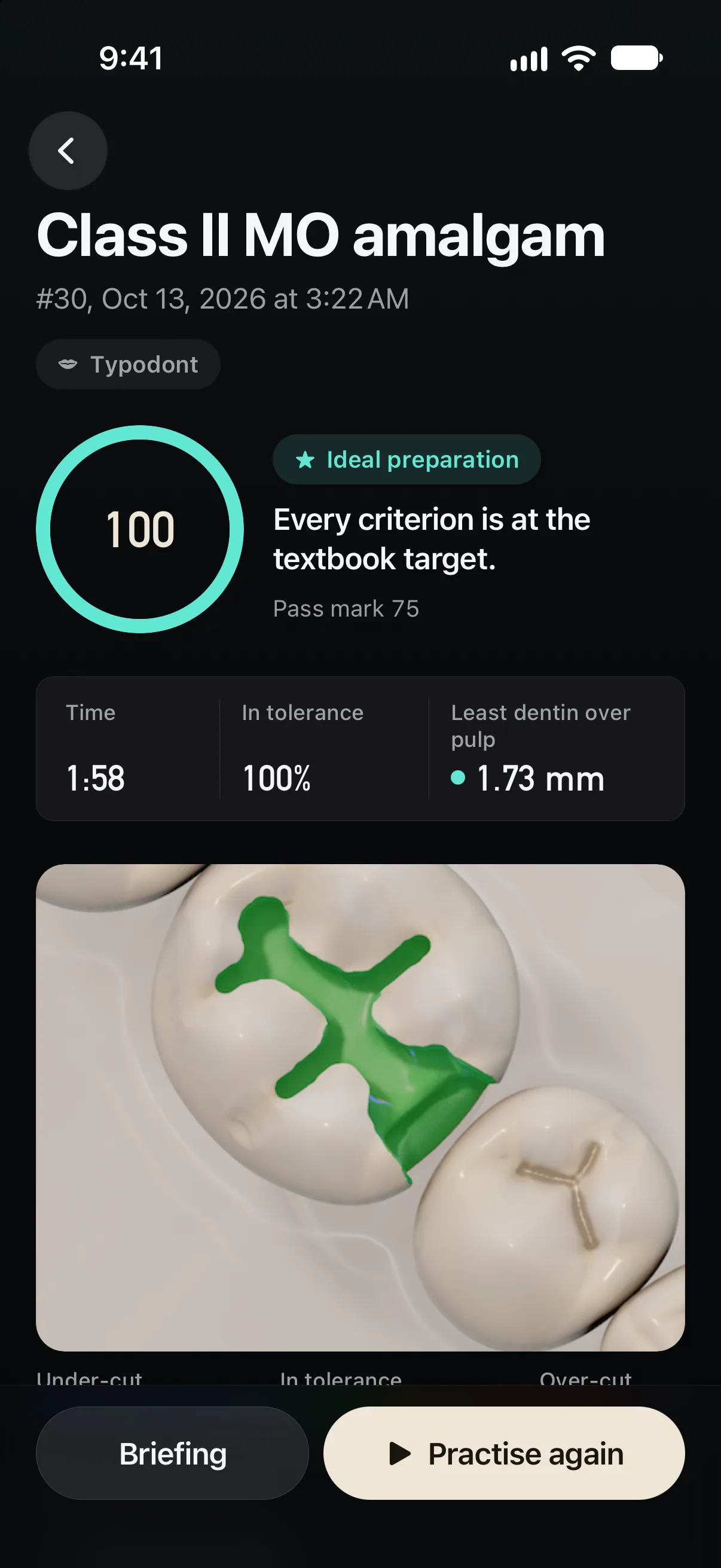
Submit, and the prep is measured against textbook targets, criterion by criterion. Every grade shows the measurement behind it.
A shallow Class II attempt, as the app graded it
Outline form
Unacceptable1.41 mm · target ≤ 0.3 mm
Pulpal depth
Unacceptable0.99 mm · target 1.5–2 mm
The pulpal floor is only 0.99 mm deep; take it to 1.5–2 mm, just into dentin, so the amalgam has bulk.
Axial depth
Needs improvement0.11 mm · target 0.4–0.8 mm
Wall convergence
Acceptable−1.8° · target 0–10°
Margin integrity
Acceptable0.17 mm · target ≤ 0.15 mm
Fill your Class I and II amalgam and Class II composite preps; Pencil force is your condensing and carving force.
Timed board-style practicals in the phantom head, in the format of the CDCA-WREB-CITA and ORE manikin exams.
Not affiliated with any exam board.
Hold a real dental mirror over the iPad: trace, then cut, with the tooth out of direct sight.
Benchmarks place each graded prep among other students' anonymous attempts. Progress keeps your history, best and trend.
No personal data. The app sends anonymous attempt scores, tied to a random install ID rather than to you, plus crash and performance diagnostics, to our own server.
Requires iOS or iPadOS 26 or later.
Handpiece is a preclinical dental simulator for iPad and Apple Pencil, and it also runs on iPhone. You cut cavity and crown preparations on 3D teeth with Apple Pencil as the handpiece, fill them with hand instruments, sit timed board-style practicals, train indirect vision with a real dental mirror, and study tooth anatomy in 3D.
Preparations are built for Apple Pencil: its tip is the bur's contact point, its tilt the bur axis and its pressure the feed, and on Apple Pencil Pro a squeeze works the foot pedal. Without a Pencil you cut by touch, with on-screen tilt and pressure controls. Everything in Anatomy works with a finger.
Yes. iPhone runs the same app on a phone layout. Anatomy works as on iPad, except handwritten tooth numbers, which need iPad and Apple Pencil. Preparations, restorations, exams and mirror practice also open on iPhone, on finger controls, after a one-time note that they are built for iPad and Apple Pencil. Handpiece needs iOS or iPadOS 26 or later.
Not yet. An Android version is coming soon. Today Handpiece is on iPad and iPhone from the App Store.
English, German, Spanish, French, Italian, Japanese, Korean, Brazilian Portuguese, Turkish, and Simplified and Traditional Chinese. The app follows your device's language.
Class I occlusal amalgam and Class II MO amalgam on #30, a full gold crown on #30, a Class II DO composite on #5 and an all-ceramic crown on #8, plus free practice on any tooth with any bur. Each runs on a bench segment, a full typodont or a phantom head with a mouth mirror and loupes. Preparations are in beta while cutting and grading are tuned.
When you submit, the preparation is measured against textbook targets from the standard operative and fixed prosthodontics texts and graded criterion by criterion: outline form, pulpal and axial depth, wall convergence, marginal ridges and margins, with adjacent tooth damage and pulp exposure as critical errors. Each grade shows the measurement behind it, and the result adds a 3D heatmap, a replay and a ghost of the ideal preparation.
Exam mode lets you rehearse the format: timed, board-style practicals in the phantom head, with no undo, critical-error rules and results at the end. Exam mode is in beta. Handpiece is not affiliated with any exam board, and it does not replace supervised preclinical training.
Universal, FDI, Palmer and Haderup. The numbering drill converts between them and tooth names, for permanent, primary and mixed dentitions, and you can pick the system the whole app uses in Settings.
There is no account and there are no ads, and everything works offline. The app sends anonymous attempt scores, tied to a random install ID rather than to you, plus crash and performance diagnostics, to our own server. It collects no personal data.
Ten teeth, two minutes, a new round every day.